
Testing PWA Installation
Everything you need to know about installing PWAs — with compatibility tests, step-by-step guides, and compatible browsers.


Fun fact: Every major operating system — Android, iOS, Windows, macOS, ChromeOS, and Linux — has at least one browser compatible with PWA installation.
Installing a PWA on iOS
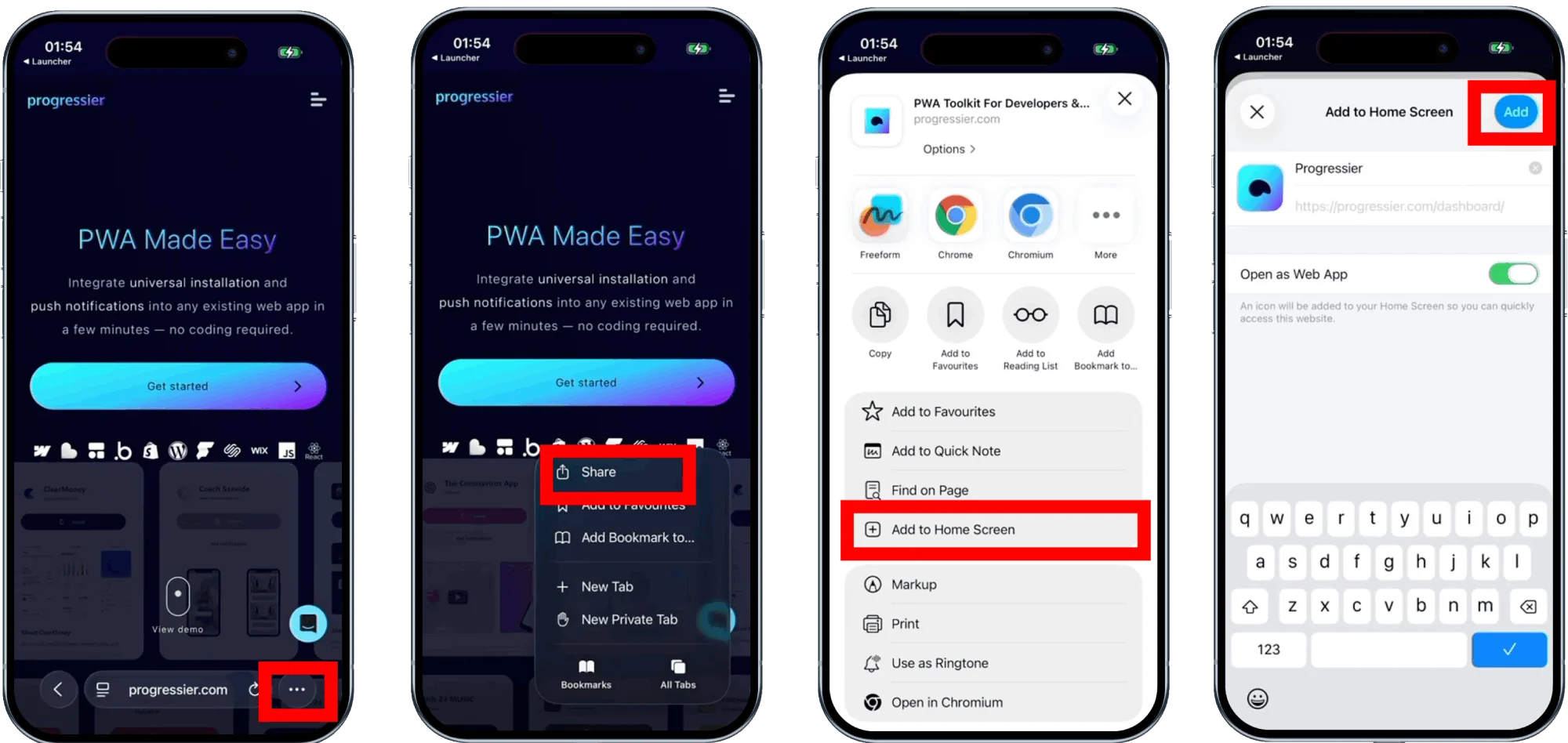
You can install a PWA on any iPhone or iPad with Safari via the Add to Home Screen option available in the Share panel. Since iOS 17, you can also install a PWA on your iOS device with Chrome or Edge by clicking on the Share button available in the URL bar.
How to install a PWA on Android
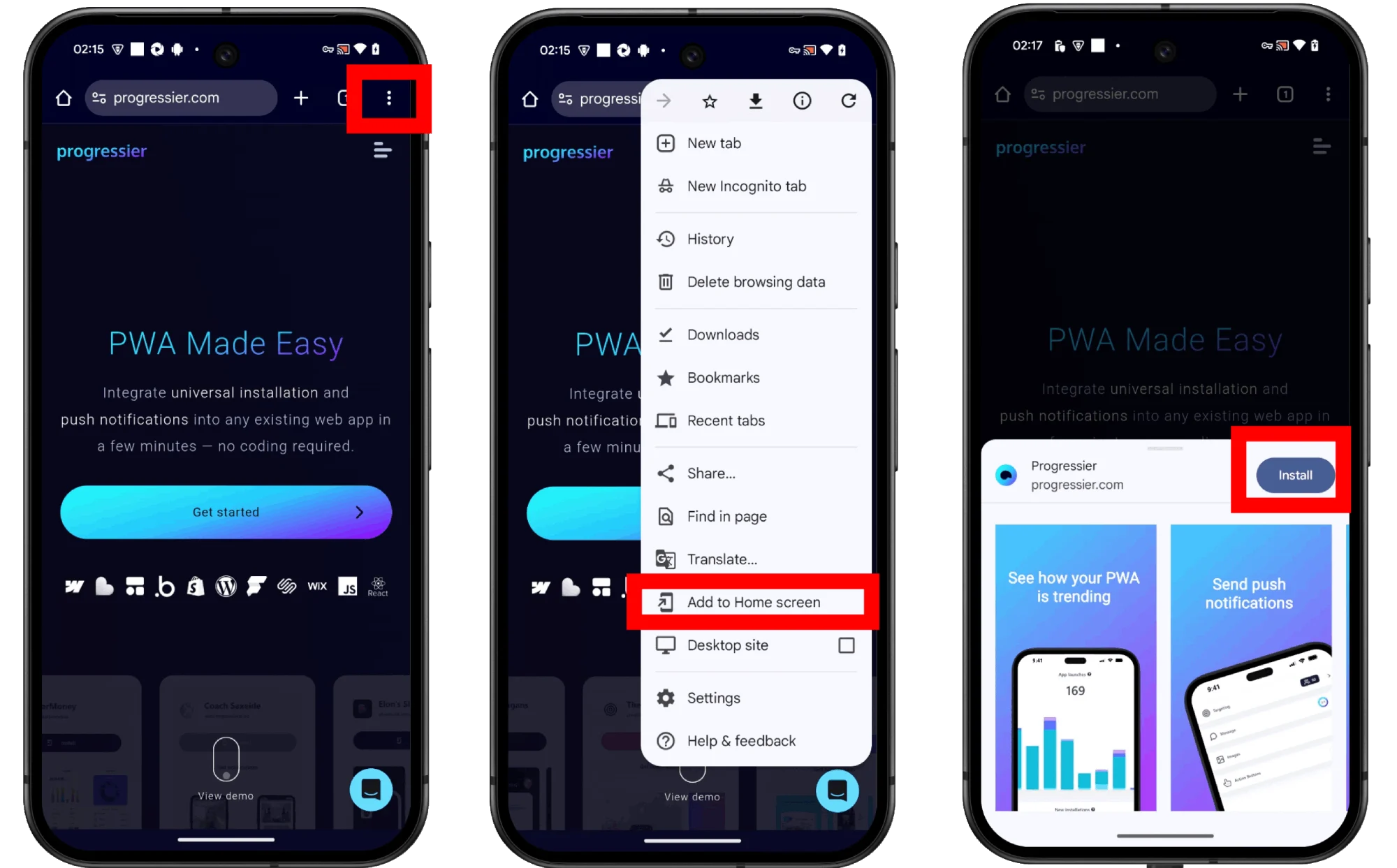
Most browsers available on Android are compatible with PWA installation. In Chrome, Brave, or Edge, find the Add to Home screen option in the browser menu. With Samsung Internet, there is usually an icon in the URL bar.
Installing a PWA on a computer
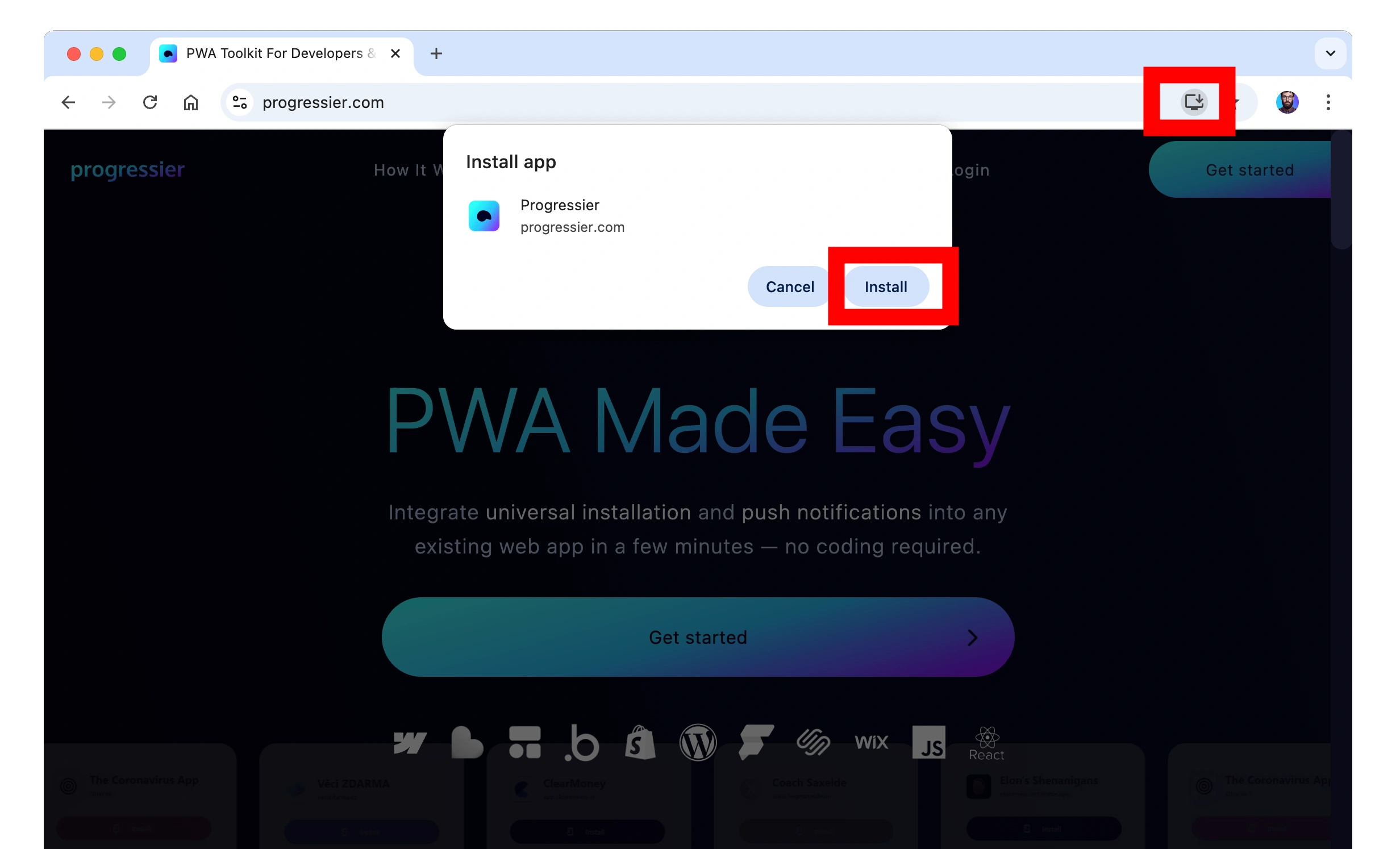
On macOS, you can add PWAs to your Dock with Chrome, Edge, Brave by clicking on the install icon in the URL bar. With Safari 17 or higher, go to File > Add to Dock in your Mac's menu bar. On Windows, browsers that are compatible with adding a PWA to your Desktop or Taskbar include Edge, Chrome, and Brave.
How long does the installation of a PWA take?
On compatible Android devices, PWA installation takes less than 30 seconds. On iOS and Desktop, PWA installation is instant.
How much storage do PWAs need?
Almost none! Unlike native apps, PWAs don’t require downloading large files to your device, making them lightweight and quick to install.
What does it take for a PWA to be installable?
Here are the criterias for installation:
- A domain secured by a SSL (starting with https://)
- A web app manifest
- Users must have spent at least 30 seconds browsing your domain
When these criteria are met, the browser will fire the beforeinstallprompt event, which you can catch in your code to later trigger the installation process.
Does a PWA look different from a native app?
PWAs are installed directly from the browser, while native apps come from an app store. However, once installed—on both iOS and Android—you'll be hard-pressed to notice any difference. They look, feel, and behave almost identically.
Are there operating systems that aren't compatible with PWA installation?
Operating systems that do not support PWA installation are mostly used by TVs and wearables. For example, WearOS, webOS, Tizen, do not support PWA installation.
Are PWAs secure?
Absolutely! By design, PWAs cannot access your device data or personal information.
Why are PWAs great for developers?
PWAs are awesome for developers because you can build one app that works everywhere without juggling multiple codebases. They're fast, lightweight, and update instantly, plus you can add features like offline mode and push notifications. Basically, you get the power of a native app with way less hassle.
Ready to generate your PWA?
Try our PWA toolkit free of charge and without limits for 14 days. No credit card required.
Generate PWA See plans