
Step 1: Set up your Base44 project
Progressier can enhance your Base44 web app with additional features such as push notifications and the ability to be installed as a Progressive Web App (PWA). You can incorporate Progressier into your project when your app is live and accessible at a custom domain.
Step 2: Create a new Progressier account
Progressier is a web toolkit that allows you to easily add new capabilities to your Base44 app (and apps from hosting providers as well) using little to no code at all.
If you haven’t done so already, create your Progressier account. It comes with a free trial (no credit card required!) so you can test all features free of charge for 14 days without risk.
Step 3: Create your PWA
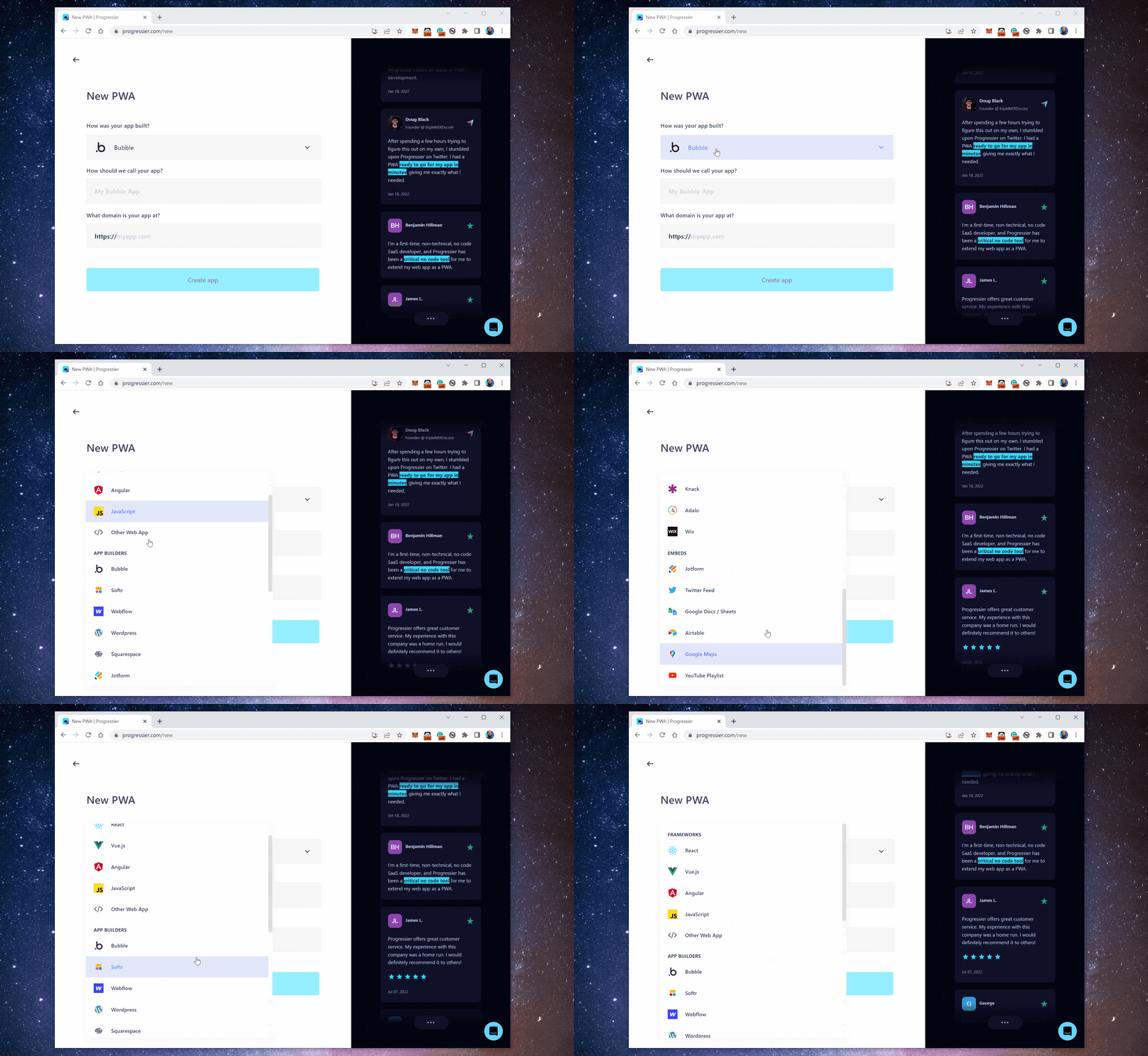
Next, create your Base44 app in Progressier. Go to New PWA, then select Base44 in the first dropdown menu. Give your app a name and paste the URL of your Base44 project in the third field.
Step 4: Finish setting up your Base44 PWA
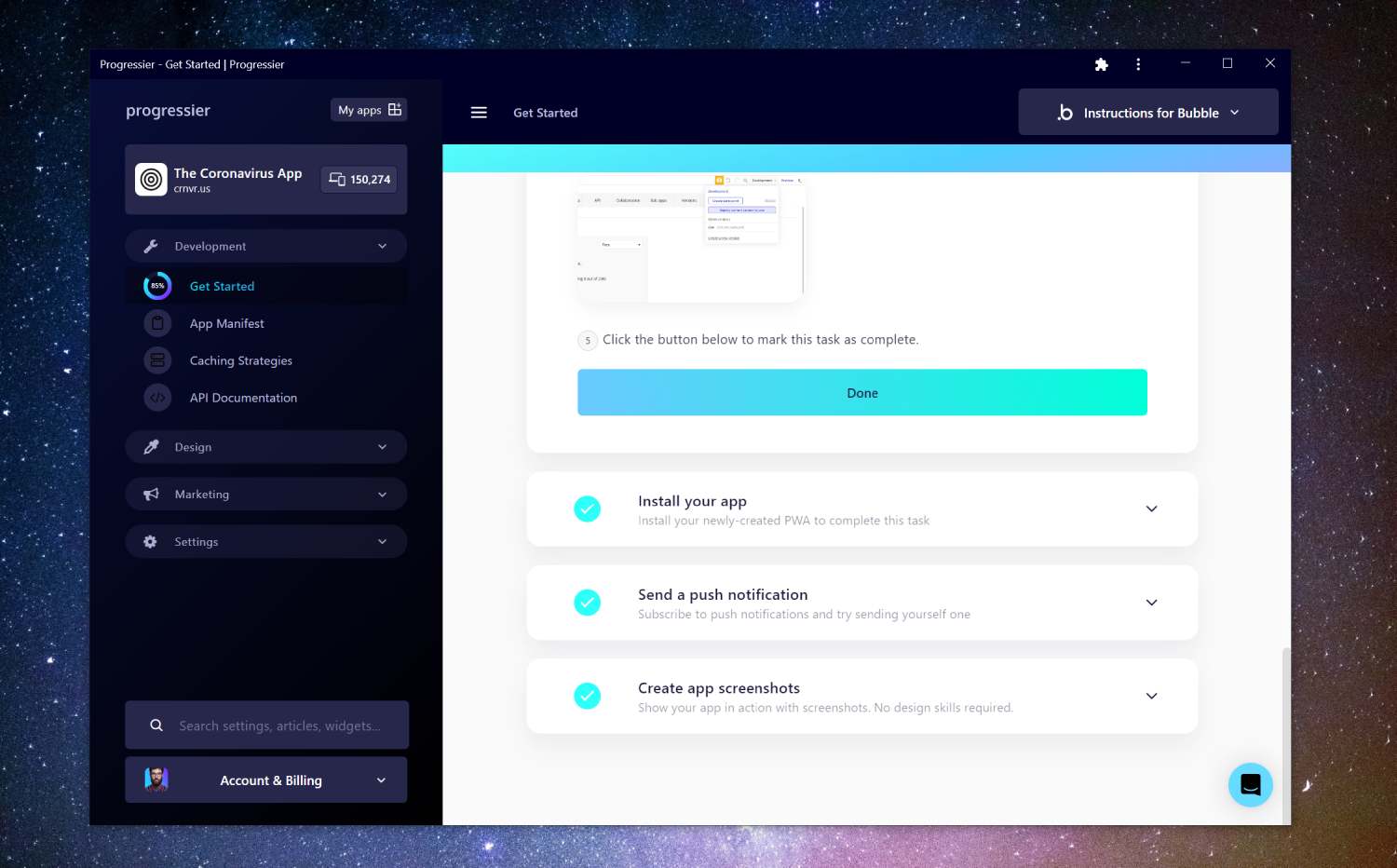
We'll show you a series of tasks. These tasks are easy and shouldn't take you more than a few minutes to complete. If you run any bottlenecks, reach out to us using the Intercom widget at the bottom-right corner of the page.
Step 5: Allow push notifications
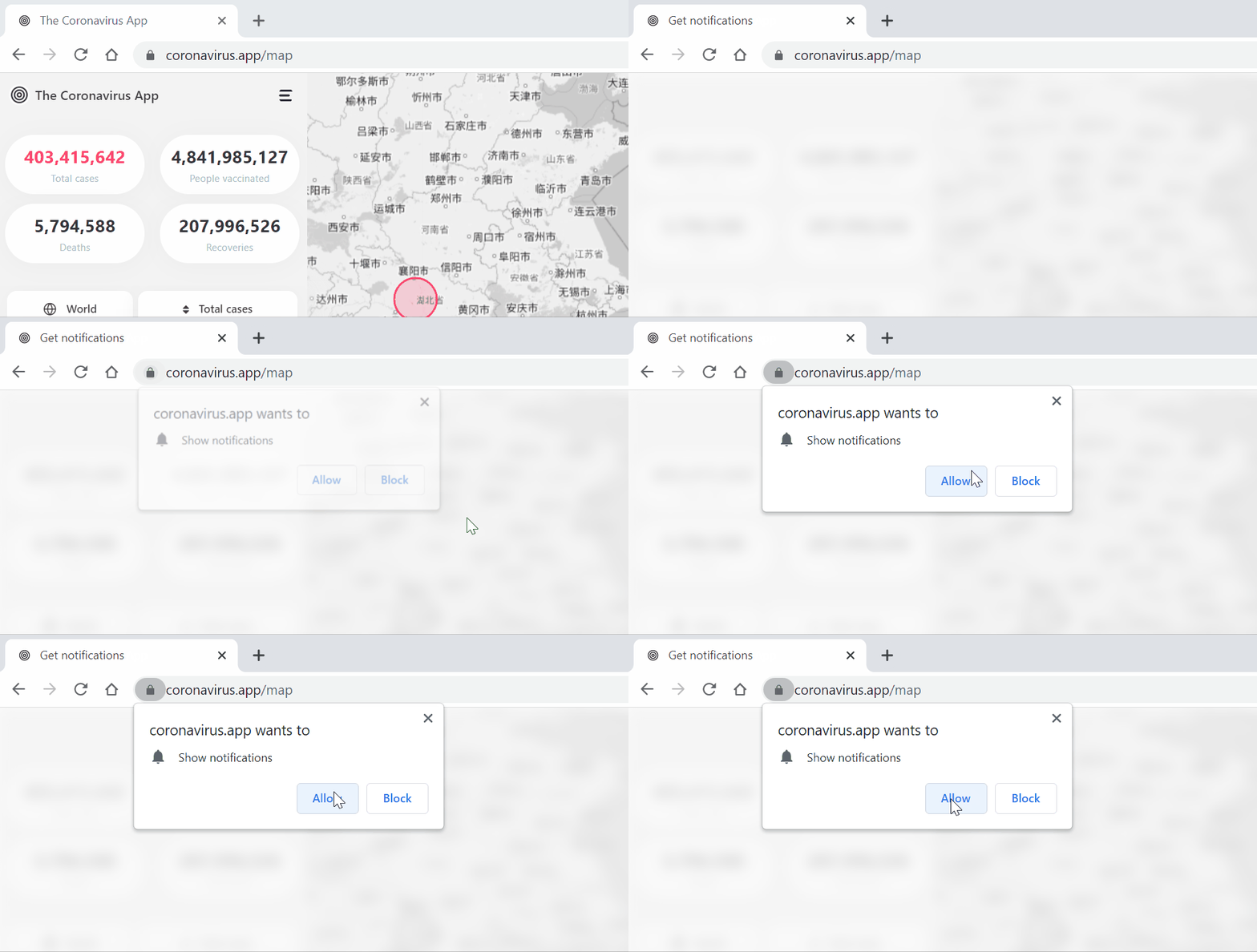
Head back to your app's domain. You should be prompted to allow notifications. If not, click on the Floating Action Button at the bottom-right corner of your app. There are also other widgets you can use to ask users to allow notifications.
Step 6: Compose your first notification
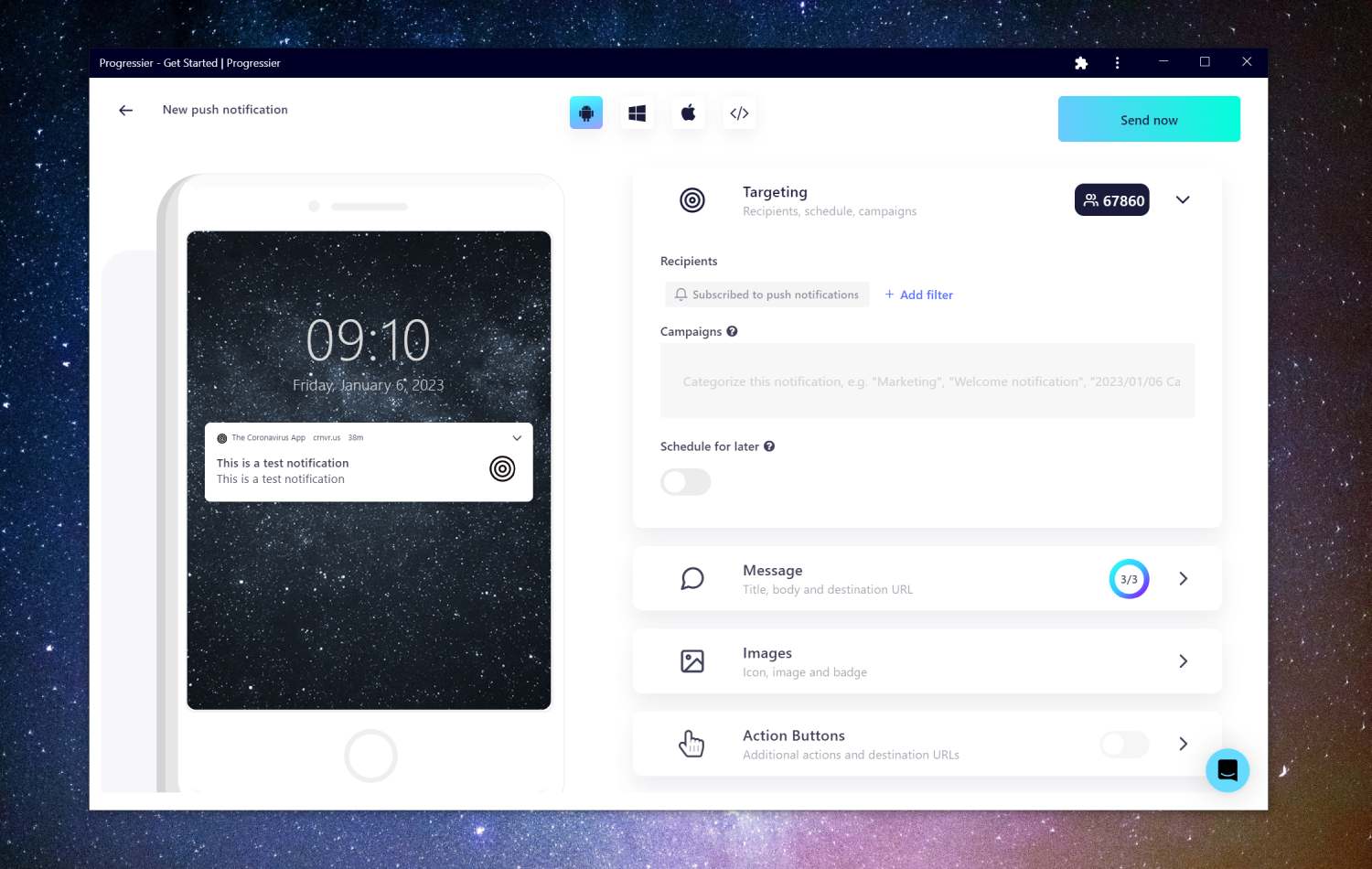
Our Push Composer allows you to compose a notification, select a specific group of users of your Base44 app to send it to, and even schedule its actual delivery from 15 minutes to 14 days in the future.
Step 7: Sync push subscriptions with user profiles (optional)
Sending the same notification to every user for marketing purposes is one thing. Sending notifications programmatically to a user to react to events in your Base44 app is another. Luckily, Progressier comes with a solution for both use cases. Simply connect your user data (e.g. a user ID or user email), then call our Push API in your server-side code to send a push notification to a specific user. You don't have to manage push subscriptions on your end.
How can push notifications enhance your Base44 app
1. Improving user engagement: Push notifications can help keep users engaged with your app by delivering timely and relevant updates and information.
2. Driving traffic to the app: Push notifications can help drive traffic back to your Base44 app by providing users with a reason to open it.
3. Increasing retention rates: Push notifications can help keep users coming back to the app by providing them with valuable and interesting content.
4. Boosting conversion rates: By delivering personalized and targeted messages to users, push notifications can help increase conversion rates and drive sales.
5. Providing a better user experience: Push notifications can provide a more convenient way for users to receive updates and information from your app, improving the overall user experience.
The disadvantages of push notifications in Base44
Users may opt out of receiving push notifications if they find them to be too frequent or irrelevant. Also Google sometimes auto-blocks push notifications for users that frequently block them.
What are the best push services for Base44 apps?
There are many different push notification service providers to choose from for your Base44 app, and the best one for you will depend on your specific needs and requirements. Some of the most popular push notification service providers include:
- Firebase Cloud Messaging (FCM): a Google service that allows developers to send messages to their clients. Free but limited capabilities and scaling.
- OneSignal: This is a cross-platform messaging service that supports Android, iOS, and web platforms. It offers a range of features, including segmentation, A/B testing, and support for multiple languages.
- Progressier: probably the best option if you develop web apps as it also comes with additional functionality designed to enhance web apps specifically, e.g. targeted push notifications.
Creating your own push service
Base44 is not quite the right platform for creating a push service, especially if you plan to handle scale. Creating a push service definitely requires writing code. Going with an existing push service will save you time and money.
Which devices and web browsers can receive push notifications?
- Windows/Chrome
- Windows/Edge
- Windows/Firefox
- Windows/Opera
- macOS/Firefox
- macOS/Chrome
- macOS/Edge
- macOS/Opera
- Android/Chrome
- Android/Samsung Internet
- macOS/Safari
- iOS/Safari